In the ever-changing world of networking and information technology, it’s essential to optimize your DHCP (Dynamic Host Configuration Protocol) server’s performance to ensure seamless connectivity and efficient resource management. In this comprehensive guide, we will delve into the intricacies of setting up a DHCP server, providing you with valuable insights and actionable steps to enhance your network’s effectiveness and reliability.
Understanding the DHCP Protocol
DHCP, as its name implies, automatically provides IP addresses to devices when they join a network. This automated configuration removes the necessity for manual IP address assignments, thereby reducing administrative work and lowering the chances of IP conflicts. The DHCP protocol follows a straightforward yet efficient procedure.
- Discover: When a device joins a network, it sends a DHCP Discover packet, essentially broadcasting a request for an IP address.
- Offer: The DHCP server receives the Discover packet and responds with a DHCP Offer, proposing an IP address lease.
- Request: Upon receiving multiple offers (common in larger networks), the device selects one and sends a DHCP Request, confirming its choice.
- Acknowledgment: Finally, the DHCP server acknowledges the request by sending a DHCP Acknowledgment, confirming the lease of the selected IP address.
Benefits of Optimized DHCP Server Configuration
Efficient DHCP server configuration offers a multitude of advantages for your network infrastructure:
1. IP Address Management
A well-configured DHCP server effectively manages IP address allocation, preventing IP conflicts and ensuring all devices have unique and valid addresses. This streamlines network operations and minimizes troubleshooting efforts.
2. Network Scalability
Optimized DHCP settings facilitate easy scalability, allowing you to effortlessly accommodate new devices as your network expands. This is crucial in modern workplaces with ever-evolving technological demands.
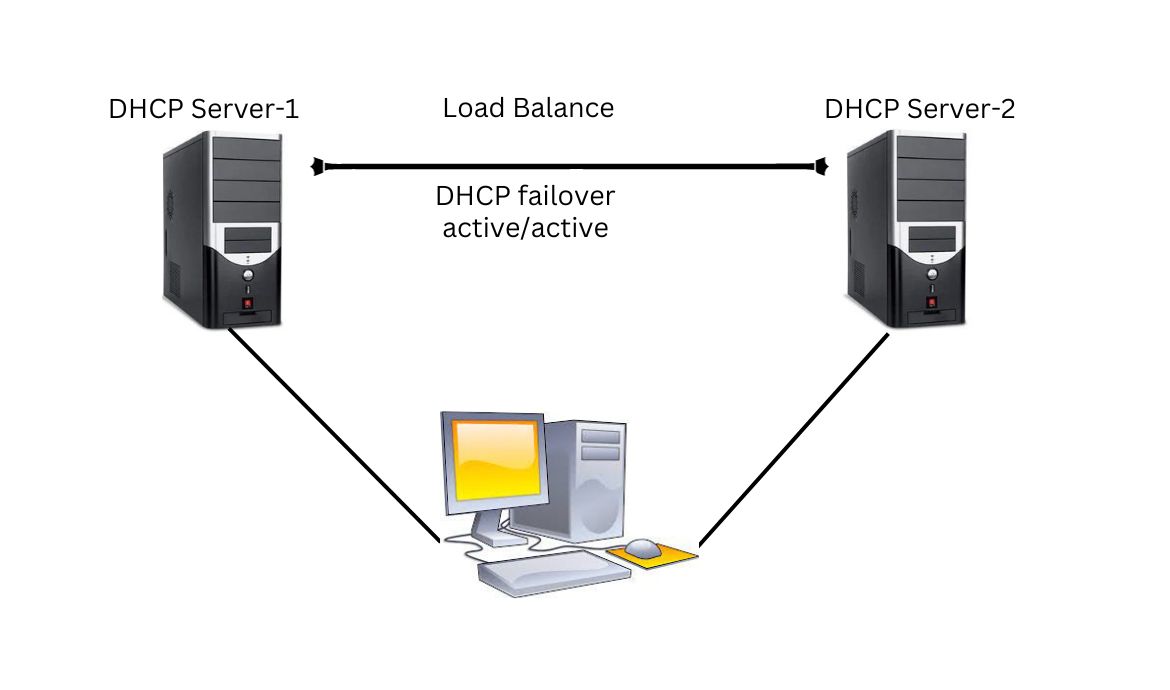
3. Fault Tolerance
Redundant DHCP server configurations can be implemented to ensure high availability and fault tolerance. This safeguards against server failures and network downtime.
4. Security
With the ability to assign specific IP addresses to known devices, you can enhance network security by restricting access to authorized devices only.
Tips for DHCP Server Configuration
To achieve the best results and outperform your competitors, follow these expert tips for DHCP server configuration:
1. IP Address Range Planning
Carefully plan your IP address range to accommodate the expected number of devices, plus some room for growth. Avoid subnetting confusion by maintaining well-organized IP address ranges.
2. Lease Duration
Set appropriate lease durations based on your network’s needs. Shorter leases are suitable for dynamic networks with frequent device turnover, while longer leases are ideal for more stable environments.
3. Redundancy
Set up a backup DHCP server to guarantee continuous service in the event of a primary server malfunction. Having redundancy is crucial for preserving network accessibility.
4. DHCP Options
Utilize DHCP options to set up extra settings, such as DNS servers, default gateways, and time servers, according to the unique needs of your network.
5. Regular Maintenance
Regularly monitor and maintain your DHCP server to address issues promptly. This includes tracking IP address allocations, reviewing server logs, and applying necessary updates.
Conclusion
In the competitive world of digital presence, it’s crucial to optimize your DHCP server configuration to stay ahead in the search engine rankings. By following the guidelines outlined in this article, you can ensure efficient IP address management, network scalability, fault tolerance, and enhanced security.



Leave a comment